Complete Guide
This guide is the hosted reference for Gadarr. It mirrors the repository README in a navigable GitHub Pages format like the Loom documentation site.
Core workflow
- Add or import games from local folders, store libraries, watchlists, or compatibility import lists.
- Configure root folders and quality/release profiles.
- Add indexer sources through Prowlarr, Torznab/Newznab, or RSS.
- Review release candidates on the game detail screen.
- Grab an acceptable release and hand it to a configured download client.
- Track queue progress, retry failures, remove downloads, or blocklist failed candidates.
- Import completed downloads into the configured games library.
Games and release candidates
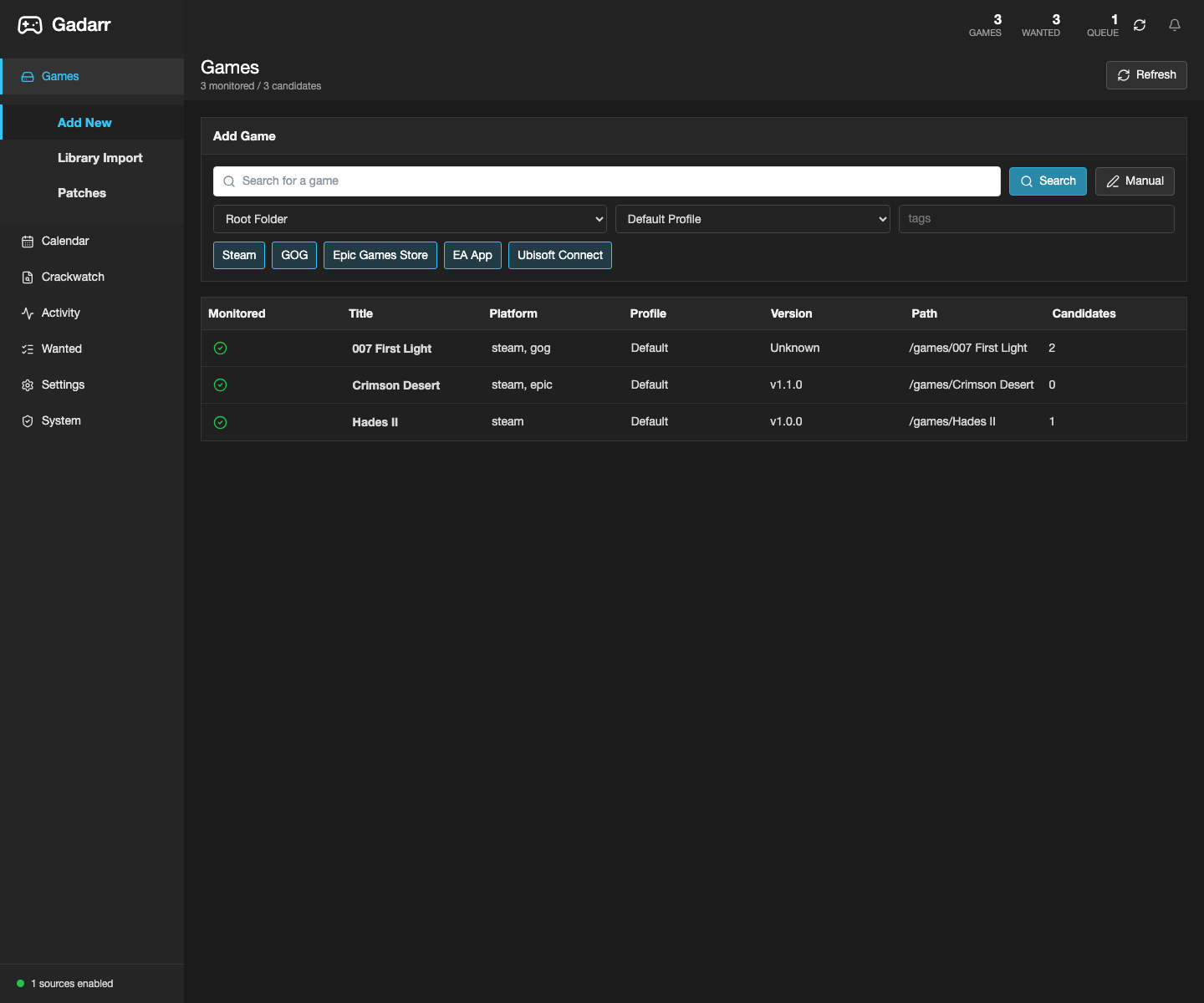
The Games view is the first screen. It is a working library surface, not a landing page.
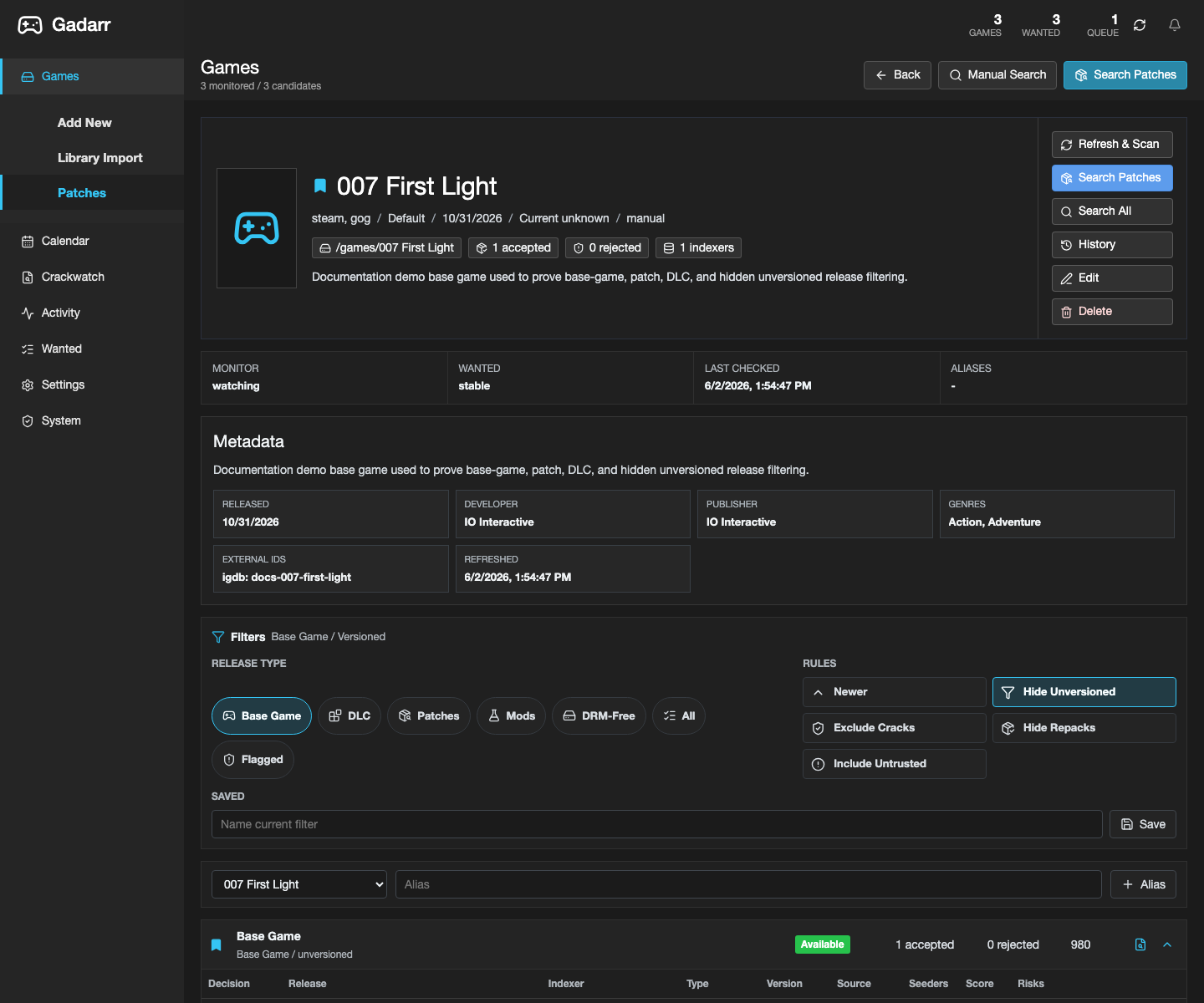
Game detail release filters hide unversioned candidates by default, keep base-game/update candidates visible, and keep risky crack/keygen/DRM-bypass releases visible for review but blocked from grabs.
Activity
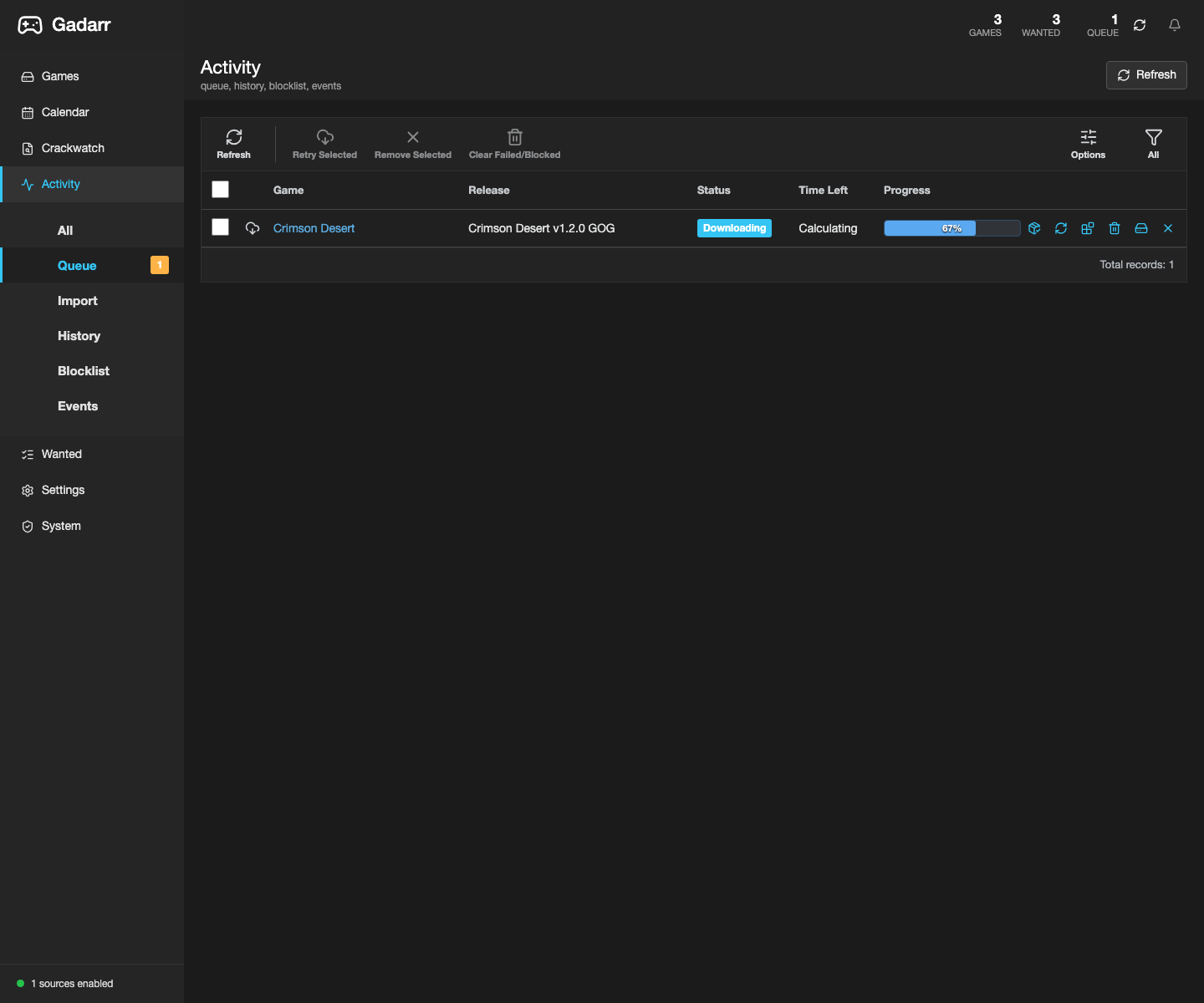
Activity is split into queue, import, history, blocklist, and events. Queue rows use game titles rather than TV-style series labels and keep progress and removal actions visible.
Queue refresh can also broad-scan a configured download client when the saved category is empty or missing a matching game download. Matching live downloads are adopted into Gadarr queue rows with game title, torrent or Usenet protocol, progress, time-left, output path, and remove-from-client actions; completed-import and failure messages use the saved download-client name instead of single-client wording. Unmatched downloads stay hidden unless the queue option for unknown downloads is enabled.
Import lists
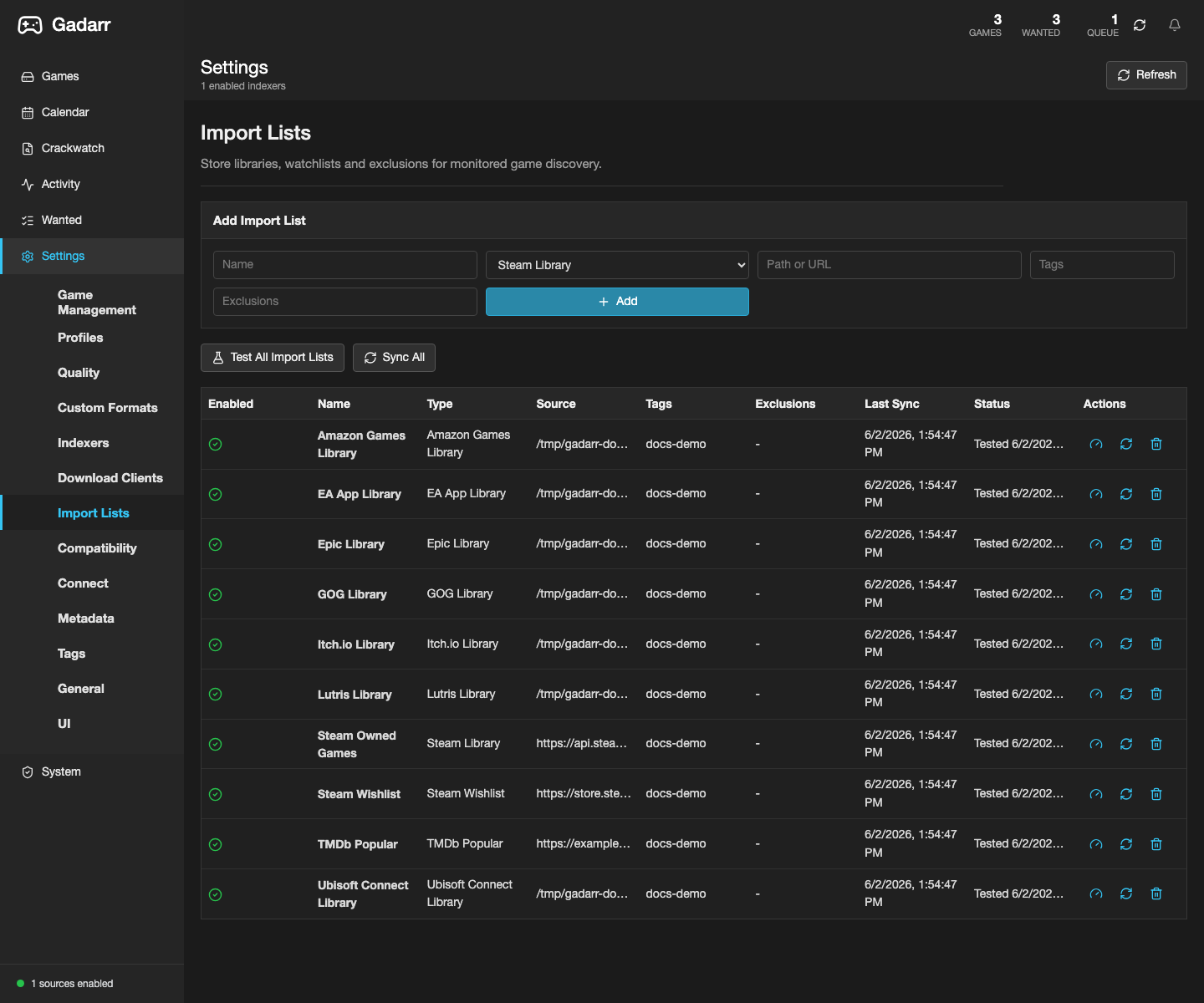
Gadarr supports game-native import sources such as Steam Library, Steam Owned Games, Steam Wishlist, GOG Library, GOG Owned Games, Epic Library, Epic Owned Games, Legendary/Heroic Cache, Itch.io Library, Lutris Library, Amazon Games Library, EA App Library, Ubisoft Connect Library, Battle.net Library, RSS, custom JSON, and TMDb compatibility lists.
Download clients and imports
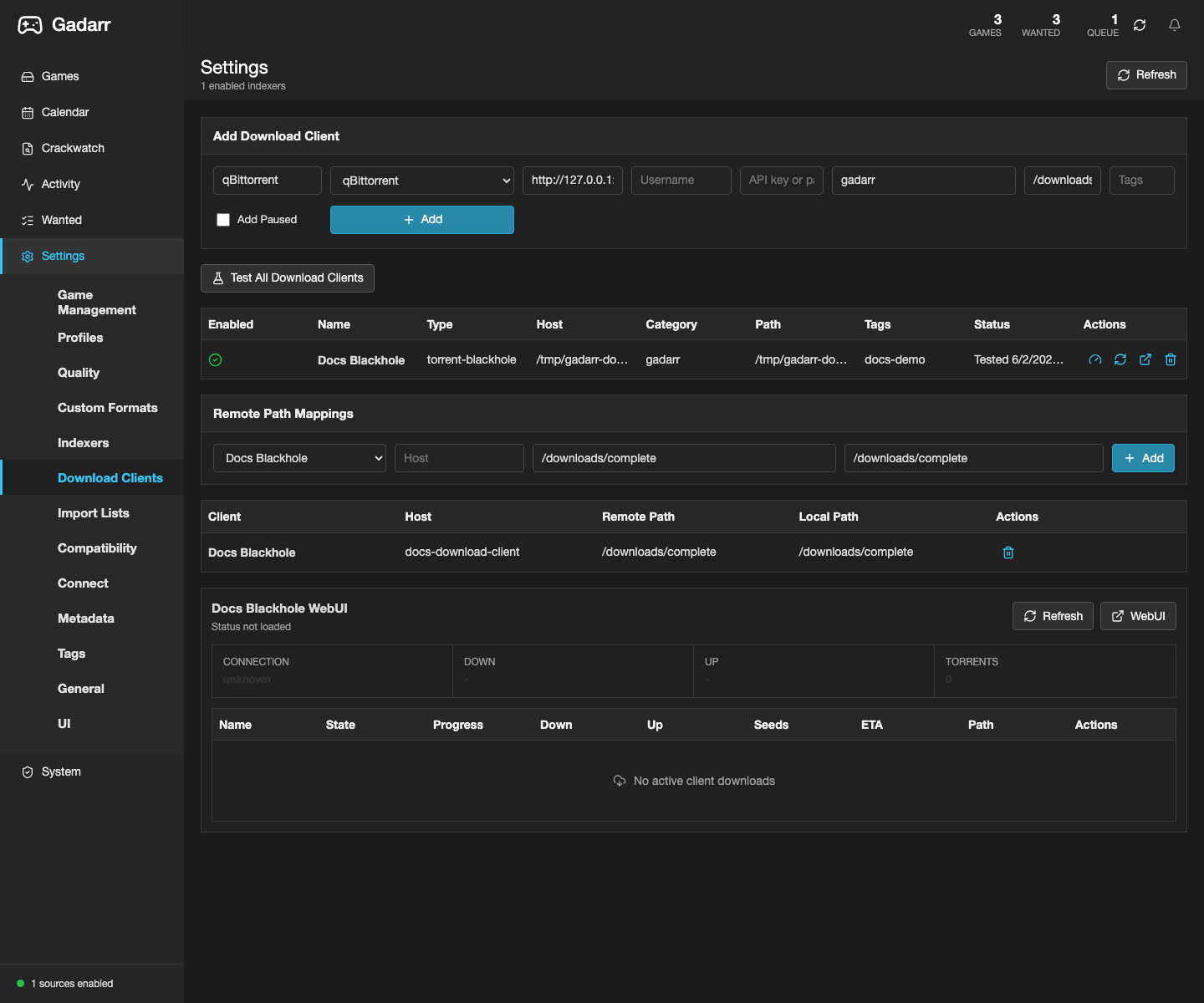
Download clients are configured server-side. Remote path mappings translate client-reported completed-download paths before Gadarr imports finished games into /games.
System and deployment
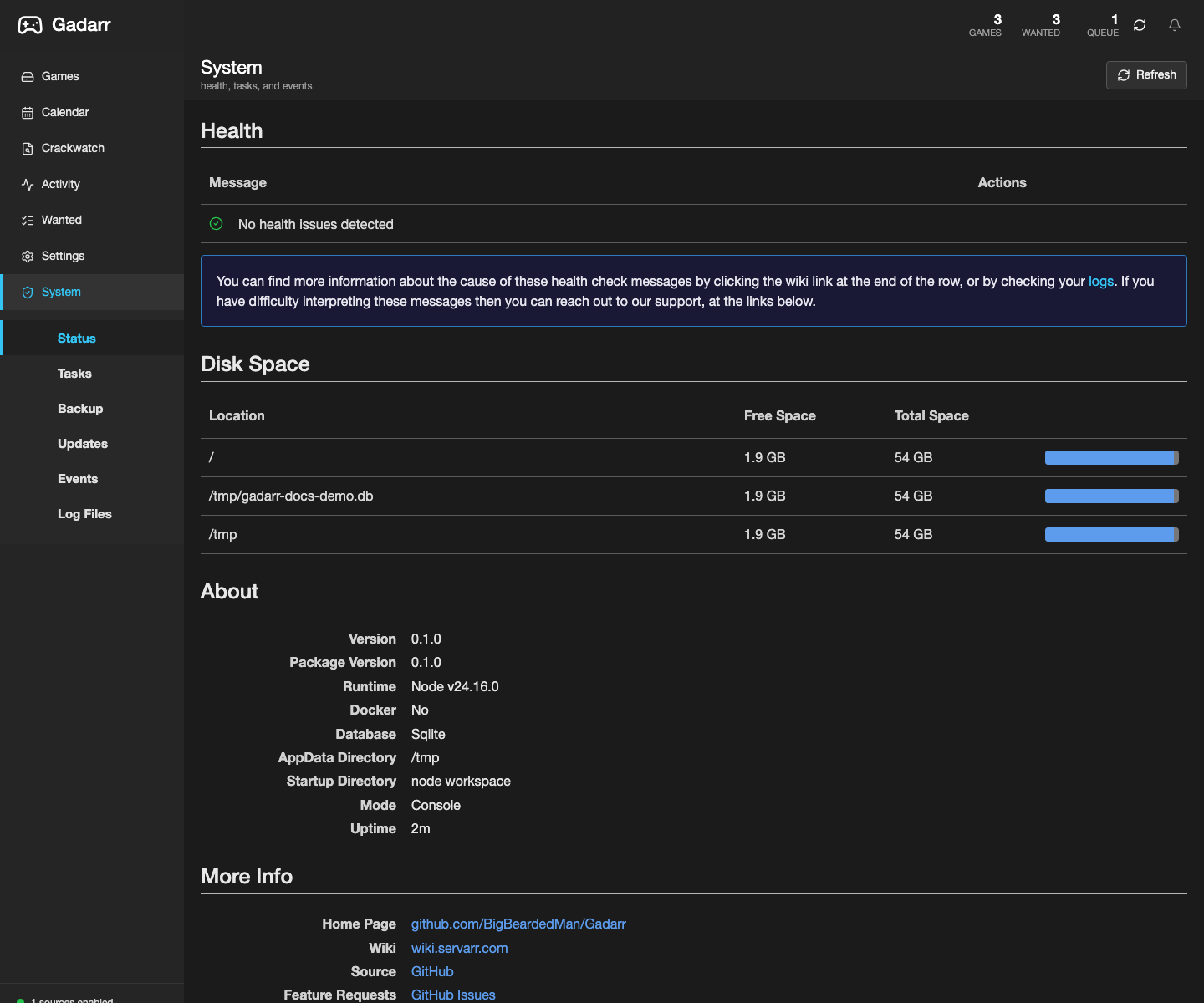
The System area exposes health, backups, restore staging, logs, runtime status, API/feed key rotation, deployment doctor state, and environment checks.
For production Docker installs, use docker.io/bigbeardedman/gadarr:latest and keep /config, /games, and /downloads on persistent host paths. See Docker Deployment.
Knowledge Base
The app includes an in-app Knowledge Base at /knowledge-base, with /documents, /docs, and /documentation aliases for users looking for a documents page. The header Docs button and sidebar Knowledge Base item both open the local operational docs page for live installs, with workflow cards for adding games, release filters, Activity queue, import lists, indexers, download clients, Docker, and security.
Each card links back into the matching Gadarr view so a user can move from a runbook item to the exact settings or Activity page that owns the fix.
The GitHub knowledge base starts at Knowledge Base. It keeps the same Loom-style scan pattern as the home page: short orientation, screenshot proof, direct runbook links, and explicit publish-state rules.
Documentation agent
Use pnpm docs:agent before publishing docs. It verifies Markdown files, screenshot PNG bytes, screenshot references, game-native language, source-backed import-list claims, Sonarr parity scripts, MkDocs site files, and git whitespace hygiene.
Refresh screenshots from a live-safe local UI with a disposable docs database:
DATABASE_PATH=/tmp/gadarr-docs-demo.db pnpm docs:screenshots -- --seed-demo --base-url http://127.0.0.1:3000
After pushing a docs commit, run:
Use live-deploy checks only when the docs explicitly claim a runtime was updated for the current commit.