Knowledge Base
Gadarr has two documentation surfaces: the in-app Knowledge Base for live operational help, and the GitHub-backed MkDocs site for longer public runbooks.
Entry Points
Open the in-app Knowledge Base from any running Gadarr install with:
| Entry point | Path or action | Use when |
|---|---|---|
| Header button | Docs | You are already in Gadarr and want the local runbook surface. |
| Sidebar item | Knowledge Base | You want workflow cards with links back into Gadarr screens. |
| Direct route | /knowledge-base |
You are bookmarking the primary docs route. |
| Alias routes | /documents, /docs, /documentation |
You are looking for a documents or docs page by habit. |
The public GitHub knowledge base is built from this docs/ directory with Material for MkDocs. Start at Home, then use Complete Guide, Docker Deployment, Prowlarr Integration, and Screenshots as the main runbooks.
Screenshot-Backed Orientation
The public docs use committed, live-safe screenshots from docs/screenshots. They show the working app surfaces without exposing API keys, passwords, hostnames, usernames, private paths, or a real game library.
| Area | Screenshot | What to verify |
|---|---|---|
| Games | 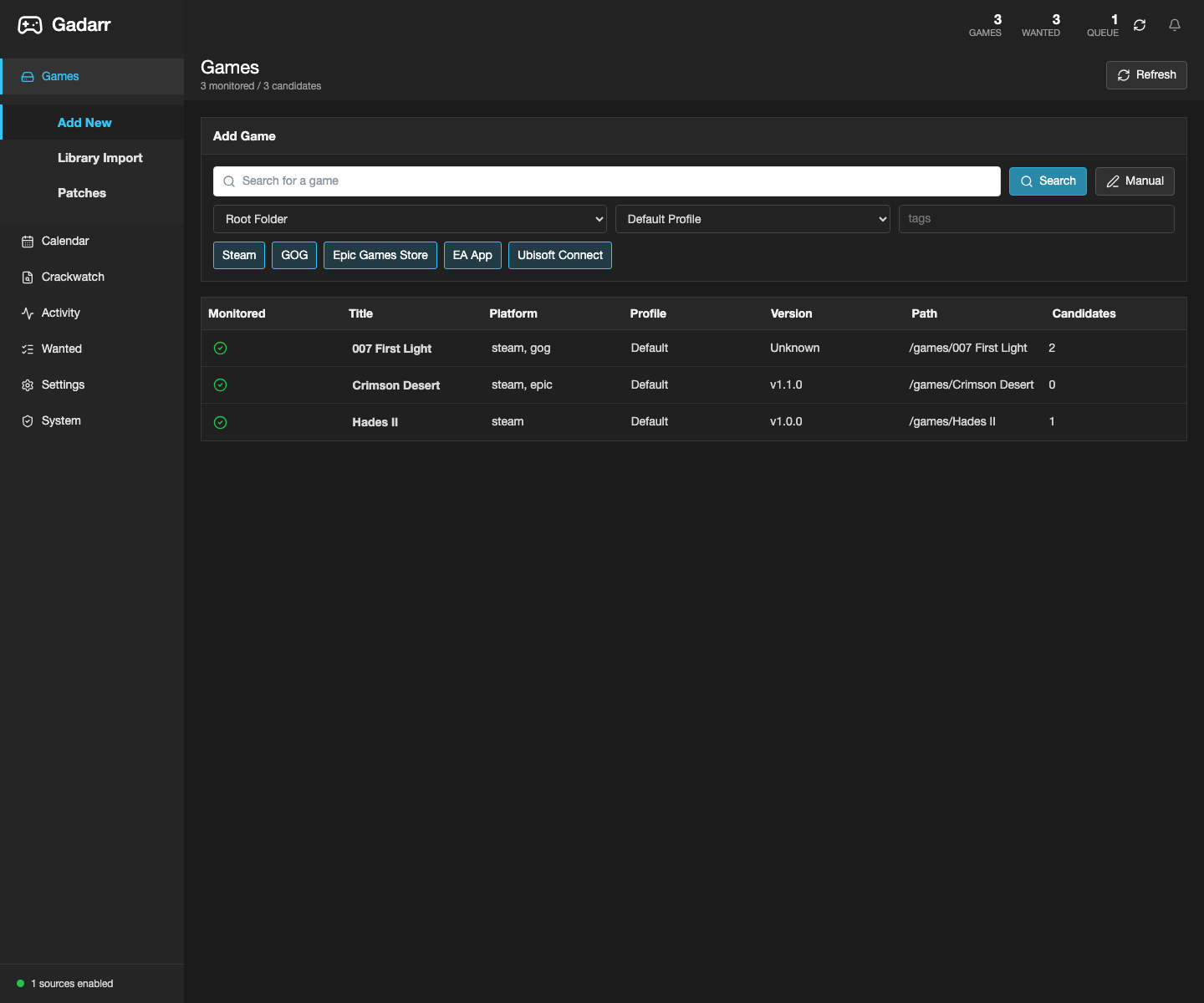 |
The app opens on a game library workflow, not a marketing page. |
| Releases | 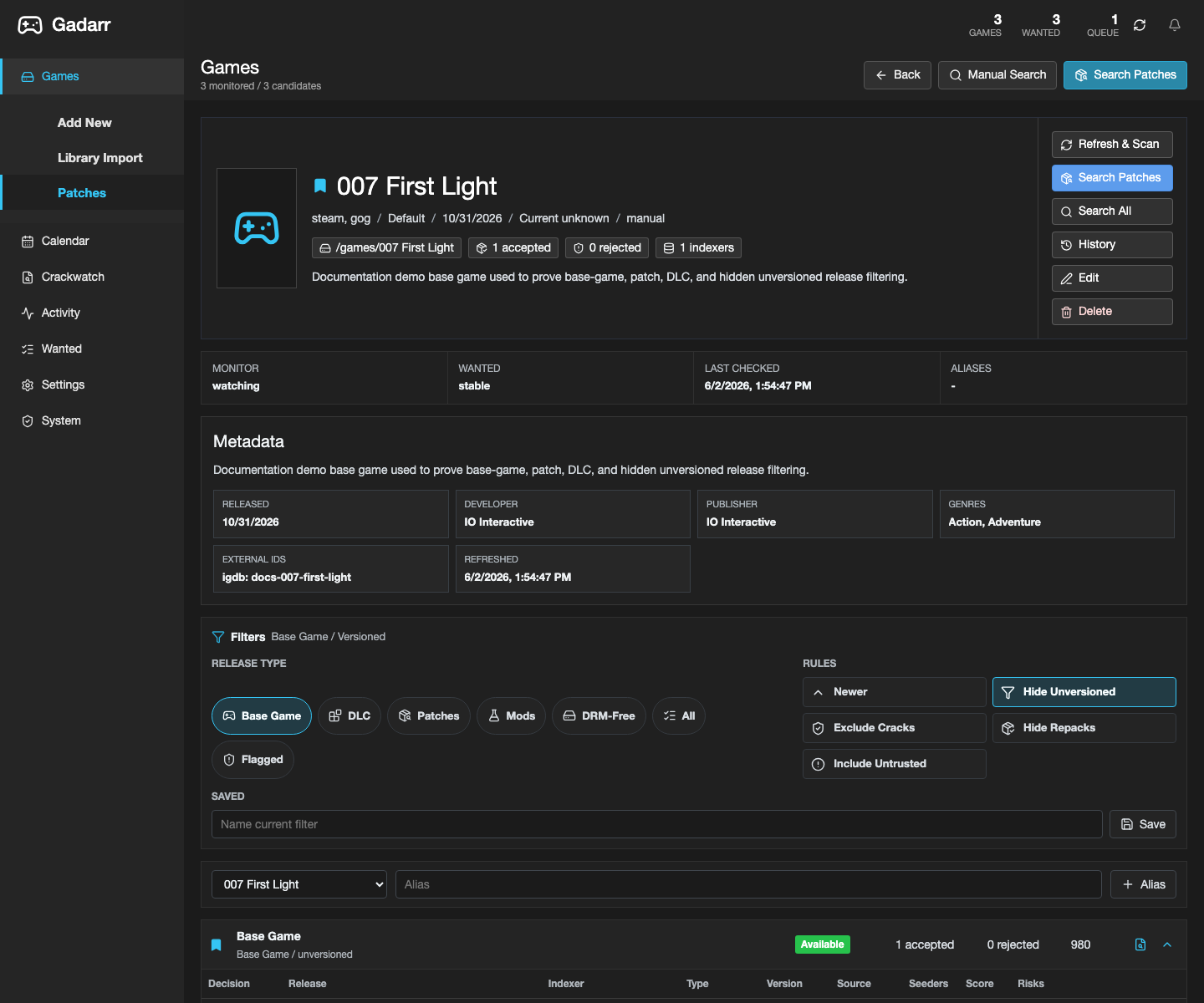 |
Release candidates use game-native filters for base games, updates, DLC, mods, repacks, and trust state. |
| Activity | 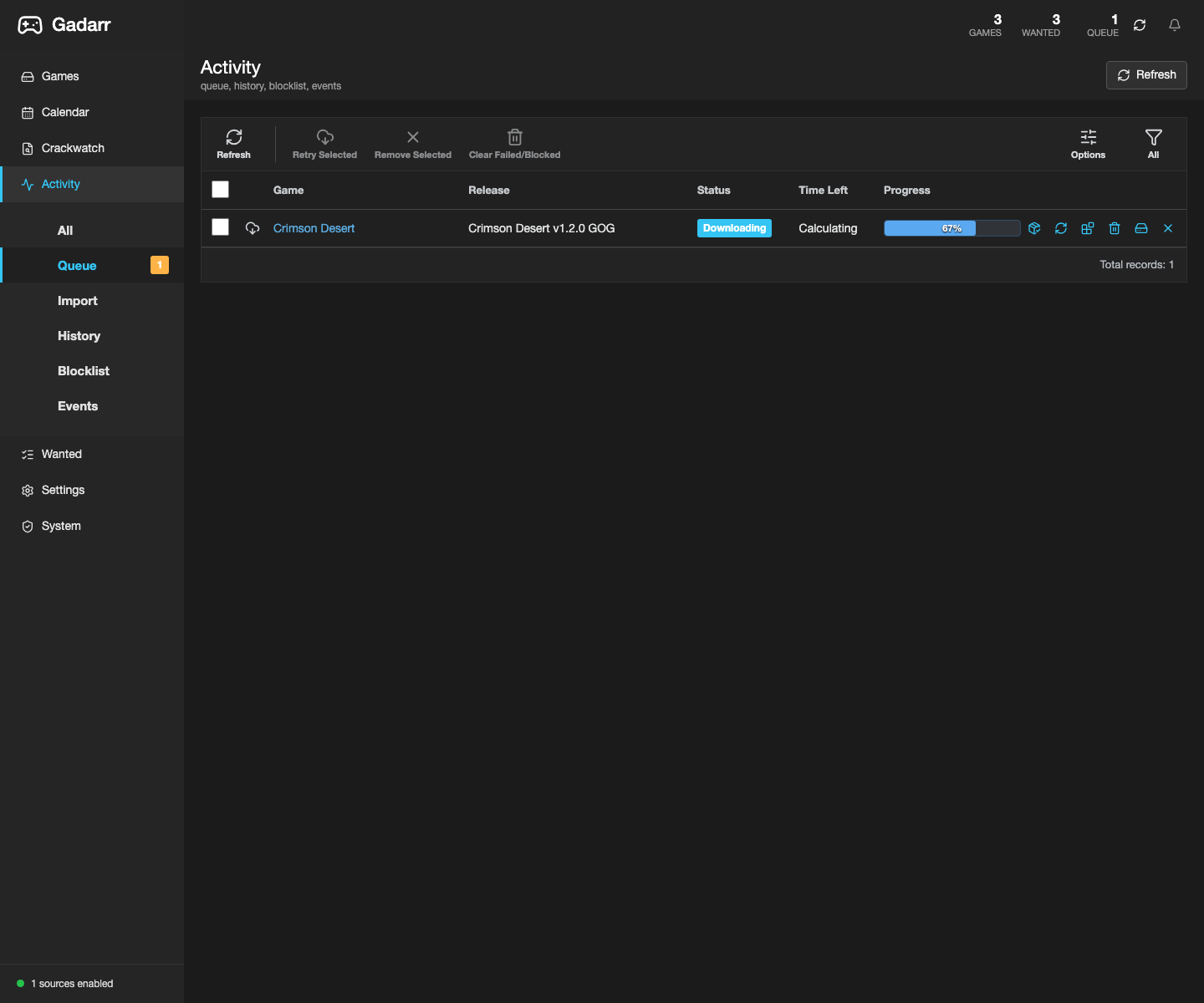 |
Queue rows show game progress and download-client actions. |
| Settings | 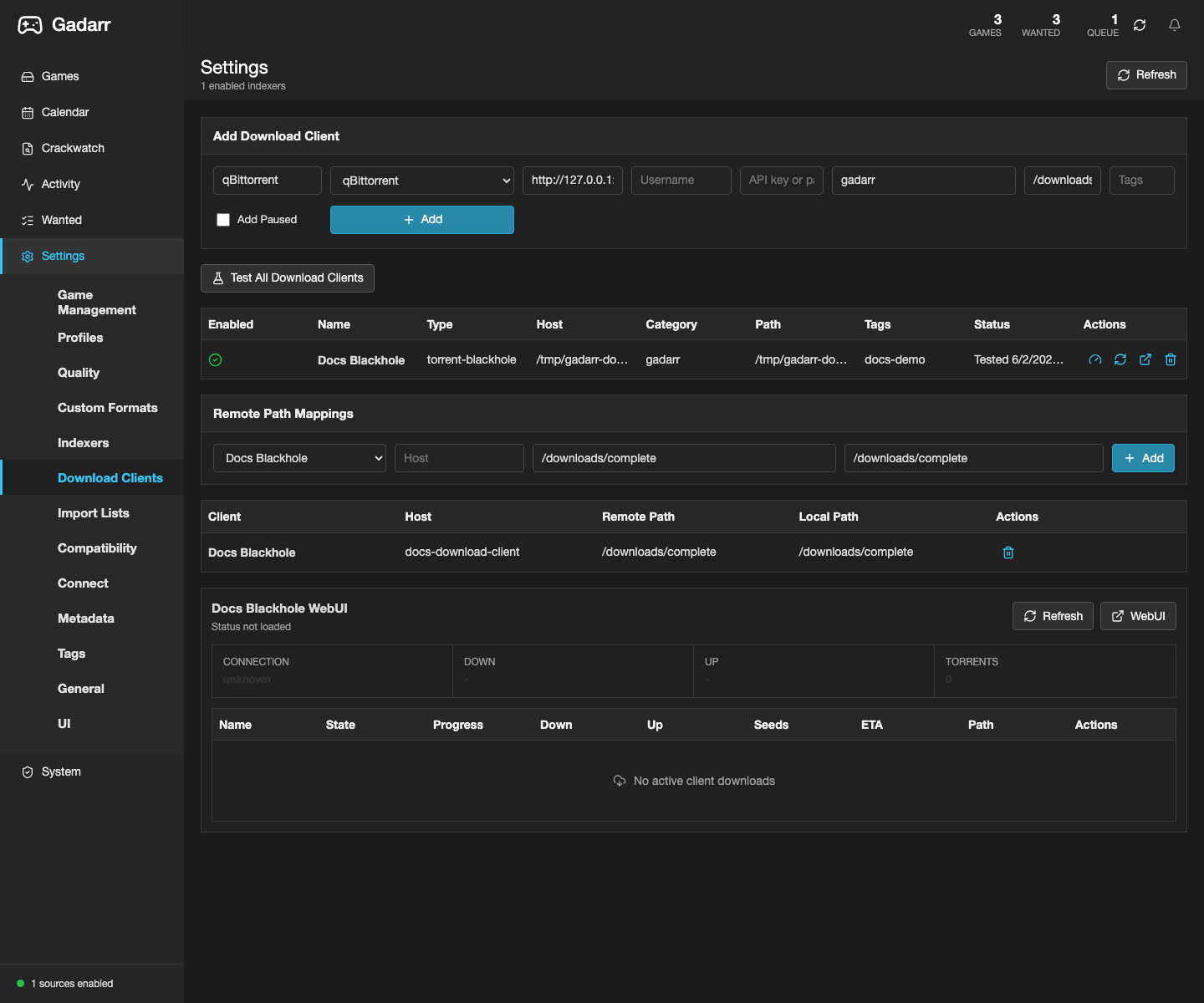 |
Download clients and remote path mappings stay server-side. |
| System | 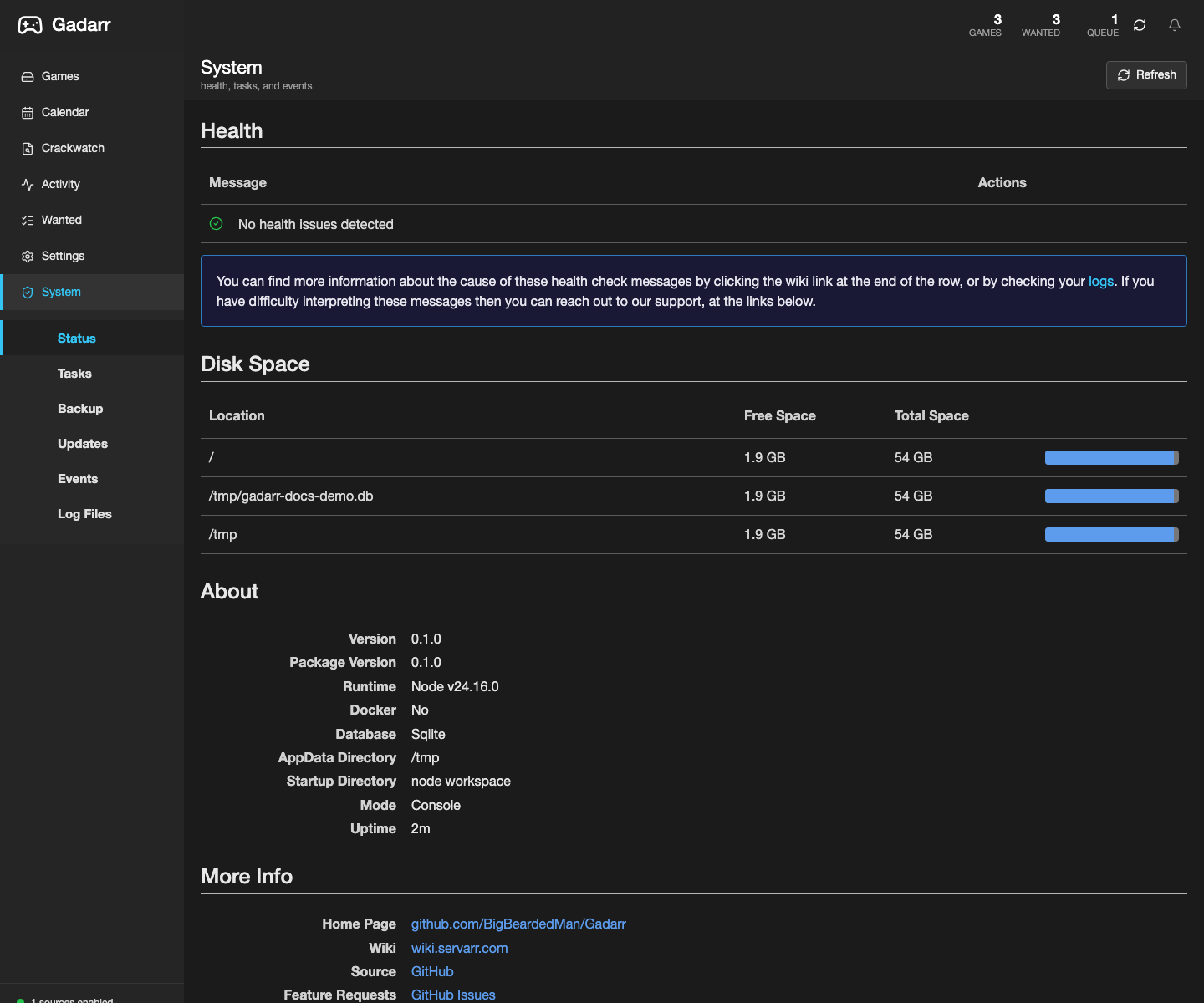 |
Health, deployment doctor, runtime, backups, and key rotation are visible from System. |
Docker Fast Path
For Docker installs, use the published image flow in Docker Deployment. Keep real host paths and private network details in local .env files, not public docs.
Use this image tag in .env:
Leave GADARR_API_KEY, GADARR_CALENDAR_FEED_KEY, and provider API-key variables empty unless you intentionally manage fixed integration tokens outside the repository. Fresh installs generate app integration keys after the first Forms login.
Public-Safe Screenshot Rules
Only publish screenshots from a disposable local docs database or another intentionally sanitized instance. The screenshot set should never reveal:
- API keys, feed keys, provider tokens, passwords, or session cookies.
- Usernames, private hostnames, public IP addresses, private domains, or admin account details.
- Real download paths, mounted private shares, personal game library names, or active queue items from a private install.
- Other containers, project names, environment tabs, logs, or admin pages that expose unrelated services.
Refresh application screenshots from a live-safe local UI with:
DATABASE_PATH=/tmp/gadarr-docs-demo.db pnpm docs:screenshots -- --seed-demo --base-url http://127.0.0.1:3000
If an infrastructure screenshot is needed later, capture only the Gadarr project summary after masking environment values, account-specific browser chrome, hostnames, and private paths. Prefer the application System Status screenshot when it proves the same deployment state without exposing host details.
Publish Truth
The MkDocs site source and navigation are maintained in this repository. Only describe the public Pages URL as live after:
pnpm docs:agent
python3 -m mkdocs build --strict
pnpm exec node scripts/documentation-agent.mjs --check-pages
Docs-only updates do not imply a fresh Docker image, Docker Hub publish, GHCR publish, or runtime deployment. Use Documentation Agent before publishing docs and use live-deploy checks only when the docs explicitly claim the current commit is deployed.